13 Nov 2026
Acta: A personal data lakehouse
A project report
By my counting, this will be the 10th note on this blog that touches on observability and metric systems. I’m not going to recap everything, if you care about that, go read this note. Just know this: I have home-made sensors around the house collecting CO2, temperature, humidity etc., a GPS tracker app on my phone that records my location regularly, and backend services emitting wide-events that describe the requests and other events they handle. I want to collect all this diverse data in one simple system that allows efficient querying despite having no static schema. It turns out this is harder than it sounds.
So after years of pondering and experimenting, and a week or so of implementation, I’m happy to say that Acta meets all my requirements. In the following sections I want to outline exactly how it works, what it can do and what the philosophy behind the approach is.
Features
There are two sides to Acta: the emitter side and the visualization side. Any device or service that
wants to send data to Acta has one unified API: post a batch of JSON objects with source,
timestamp and data properties. No custom tracing instrumentation, no otherwise complicated
plumbing, just send arbitrary data and be done with it.
On the visualization side I can now query this data and build custom dashboards. Here’s a selection to illustrate what’s possible:
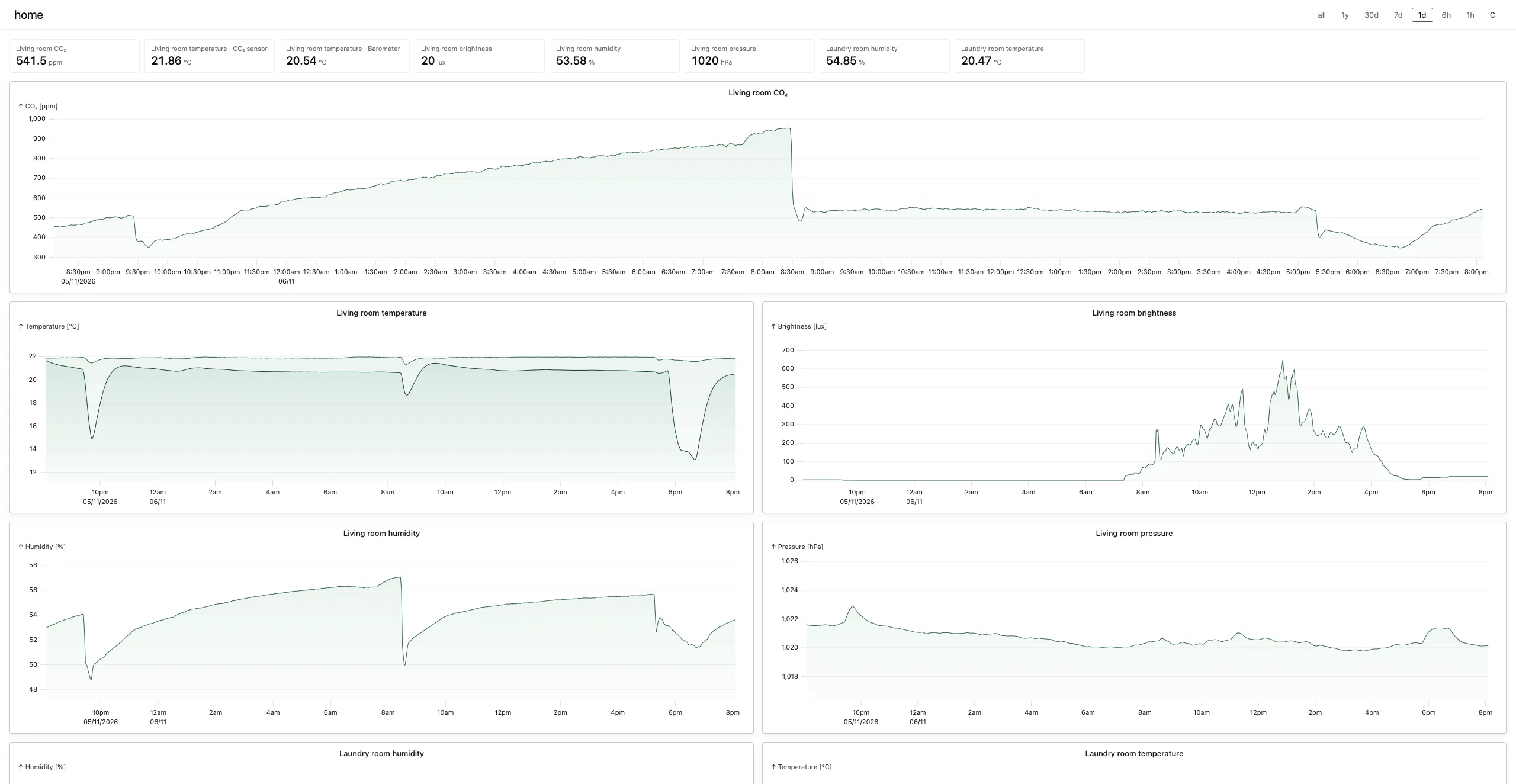
Home This dashboard shows sensor data from around the house. Every chart can be fullscreened with
a shortcut and is fully interactive, with zooming and brushing.
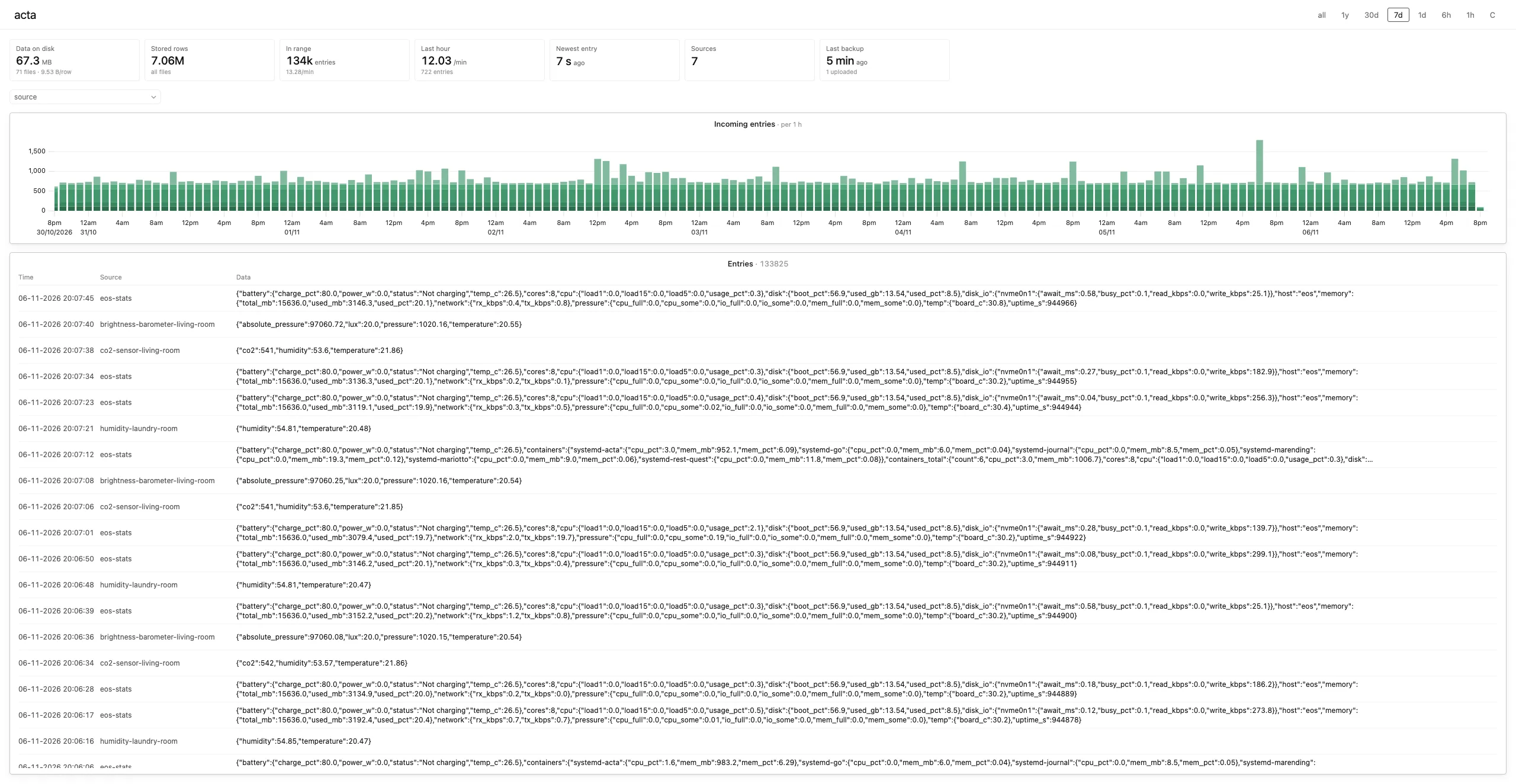
Acta Sort of a self-introspection dashboard, useful for looking at all the data in the system.
Filter by data source, watch new data stream in, and so on.
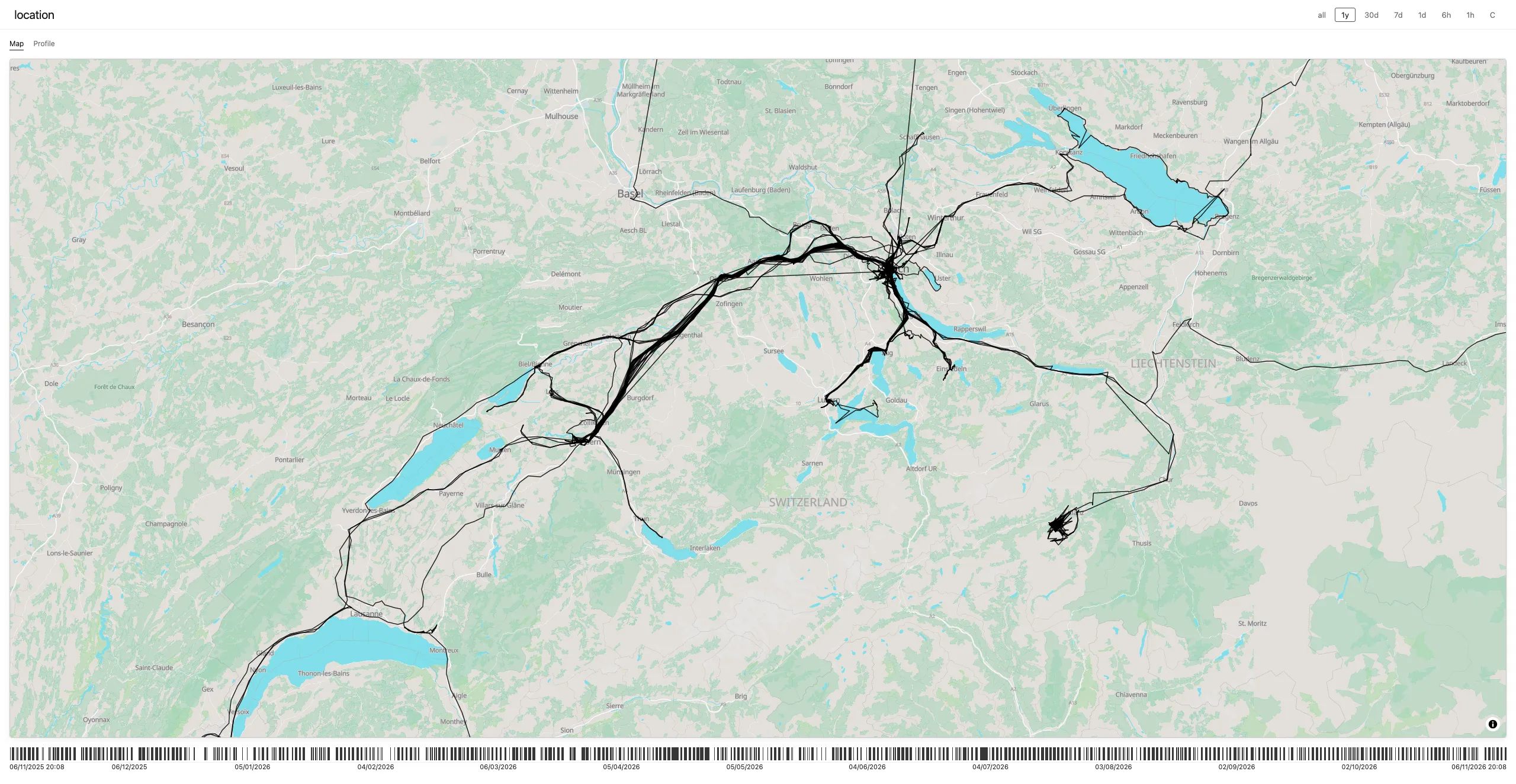
Location My GPS tracks, visualized on a self-hosted map. Use the gutter at the
bottom to quickly hone in on a date range of interest, and the shortcuts to zoom in on the bounding
box of the visible tracks. Hovering a path segment shows when it was recorded in a tooltip.
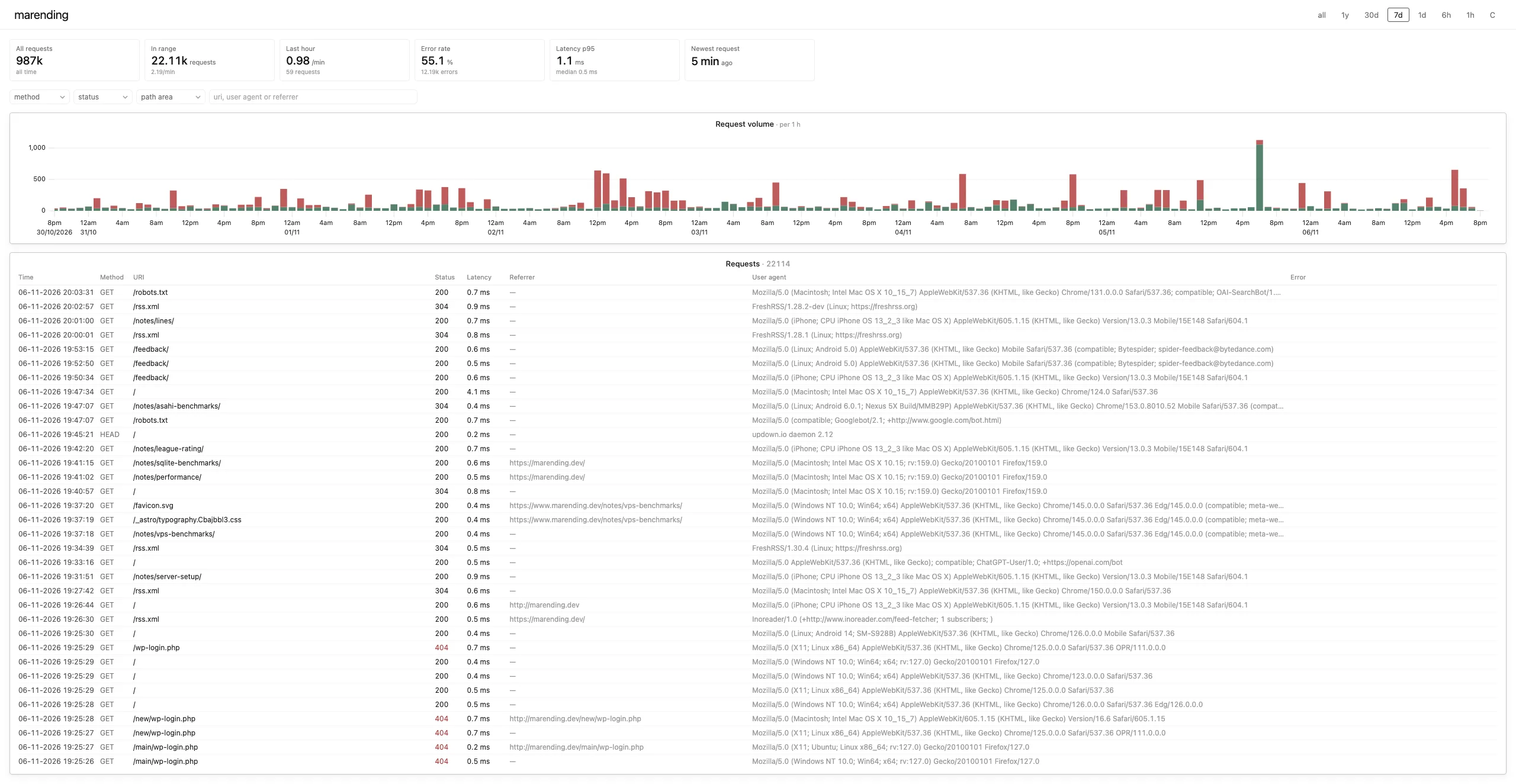
Marending This dashboard queries the wide-events that the backend serving this website emits. I
can track how many page views I’m getting, which PHP vulnerability is currently popular with the
crawlers, and much more.
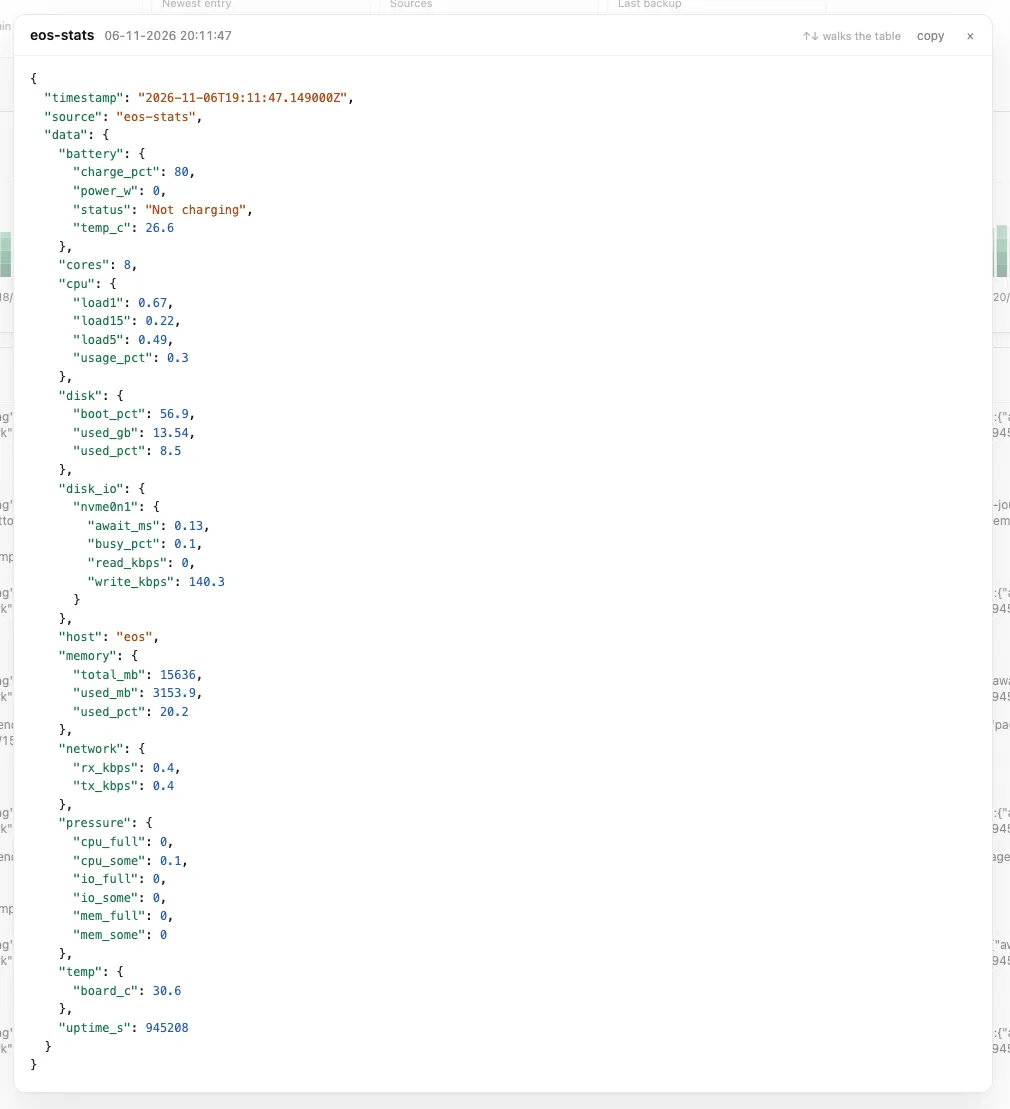
For data tables I have a bunch of niceties, like highlighting the previously newest entry when the data updates so I can quickly gauge how fast new data is streaming in. Clicking a row opens a detail view:
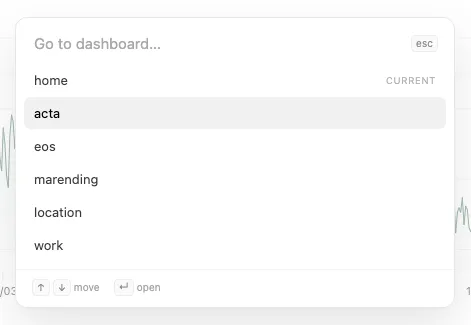
In general the whole visualization frontend is highly keyboard-driven, including a palette-style dashboard selector.
Notably, there is no Grafana-like dashboard builder here. These dashboards are hardcoded. I realized that with an LLM by your side, building a new dashboard and deploying the application is just a matter of minutes. Maintaining a builder UI and giving it enough expressive power would be an order of magnitude more effort for very little benefit. Naturally, this makes Acta a highly personal application. Anyone else wanting to use it can really only treat it as a base to fork from. But this is probably where such software is headed in the age of AI anyway.
Implementation & Architecture
First I have to state the uncomfortable: Acta is entirely vibe-coded. I was planning to use this project to test a spec-driven workflow, but I quickly found that discussing architecture with an LLM and having it update the specs was a faster way of doing it than writing everything myself from scratch. The workflow went something like this:
- Formulate the target / feature / mechanism
- Challenge it with the LLM
- Have the LLM implement it
- Quickly glance over the shape of the code and steer it if I disagree
- Test it interactively
- Repeat
But as mentioned, I’ve been thinking about this space for years and had a very clear vision going into this. Still, it was useful to have the LLM challenge my assumptions and plans. So ultimately it took about a week of evenings and a Saturday to build Acta. I used DeepSeek V4.1 Flash (1017) exclusively, for a total of about 8 dollars worth of tokens.
Data storage
Choosing a simple data storage model has been a primary driver for this whole undertaking. I greatly
enjoy the idea of separating the data format from the query engine. That’s why I went with Apache
Parquet here. The Variant type in particular is phenomenal: it lets me combine the flexibility of
a schemaless payload with efficient storage and fast query performance.
So the way Acta stores data on disk is simple. Every Parquet file has this schema:
timestamp  TIMESTAMPTZ  -- event time, or receive time
source     VARCHAR      -- e.g. 'co2-sensor-living-room'
data       VARIANT      -- arbitrary JSON payload
The service buffers data points it receives for 10 seconds, then writes them to a Parquet file. The files of every finished 5-minute window are combined into a larger one, and the same happens every hour, every day and every month. So at any given time there are a number of month files, at most 30 day files, 23 hour files, 11 5-minute files and 29 10-second files.
To run queries against this data I use glob imports in DuckDB to read from multiple files at once. Parquet files carry a metadata footer with min / max values for every suitable column, which lets DuckDB skip row groups that are irrelevant to a given query.
On the read side, with no queries coming in, the system just sits there idling. On the write side,
Acta writes small files regularly and compacts them into larger ones spanning wider time ranges. The
larger the files, the more compact the data gets, for two reasons: first, compression has a fixed
overhead per file that amortizes better in a larger file. Second, DuckDB shreds the data column
into typed columns when writing a file. The larger the file (or rather row group), the more
information is available to make good decisions here.
Ultimately, this leads to a very simple system. Instead of centering an application like this around a particular database technology, it now builds on a standardized file format. One could imagine swapping out writer or reader without much fuss. This sparks joy.
A small side note regarding the previous ClickHouse-based system that Acta replaces: a straight
Parquet export of the OTel traces data set weighed in at 1.2 GB. After cleanup (and dropping some of
it, to be fair), the data had shrunk to a set of Parquet files totaling 65 MB. Have I mentioned how
much I like the Variant type yet?
Auth
On the ingestion side, Acta accepts basic auth from sensors that want to publish data. The password
is just a fixed secret supplied to the service. For the visualization frontend there are actually
two sets of credentials: my own with complete access, and one for my girlfriend that can only view
the home dashboard. I figured it was weird for her to be able to see my real-time location. So
Acta concatenates both passwords and uses that as the seed for a signing key. When a user logs in,
the system uses the key to mint a new token and returns it as a cookie. Later, the token can be
cryptographically verified to have been signed with the same key.
This way I don’t need to maintain a stateful session store, at the cost of invalidating every session if either credential ever changes (which would require a redeployment).
API
To push data into the system there is an endpoint of this shape:
POST /api/ingest
[{ "source": "co2-sensor-living-room", "timestamp": "2026-11-09T20:11:00Z", "data": { "co2": 812 } }]
→ 202 { "accepted": 1 }
timestamp is optional and defaults to the server’s receive time. The GPS tracker app has its own
endpoint, POST /api/gps/{source}, which takes a batch of GeoJSON features and stores one row per
fix.
The visualization side started with a single endpoint that takes raw SQL:
POST /api/data
{ "sql": "SELECT to_json(…)::VARCHAR FROM events WHERE …" }
However, after adding a second user with restricted access to just the home sensor dashboard, I needed a structured API that only allows fetching those data series. So there’s now an endpoint like this for exactly that data:
POST /api/series
{ "metrics": ["co2_ppm", "living_temp_c"], "from": "…", "to": "…", "bucket_ms": 60000 }
→ [{ "t": 1762646400, "s0": 812.3, "s1": 21.4 }, …]
This makes it easy to restrict which series a user can ask for. I didn’t migrate all API usages to it, just the ones that were needed.
Map
The map on the location dashboard is integrated using maplibre-gl, and the vector tiles are
served by the service itself via PMTiles. Read this past note for the details.
To keep the size of the tile archive reasonable, I didn’t want to download the entire world in high resolution. Instead I opted to build a script that identifies the locations I’ve visited (using an up-to-date Acta export) and pulls in only those regions in high resolution. The rest of the world is merged into the archive as a low-resolution basemap. The resulting ~200 MB file gives me quite decent detail in the places I’ve visited. The only problem is that it’s always backwards-looking: if I were on a longer vacation to a new place, I wouldn’t see high resolution there until I got back home and reran the script manually.
Alas, this “dynamic resolution” thing is one of those I would never have done if I had to build that script myself, but with a clanker it’s easy enough.
Deployment
I don’t want to get ahead of myself here. I’ll write a more comprehensive note on my new hosting setup at some point. But to keep it short: the backend service serves the API, the frontend bundle and the PMTiles archive. The service and the frontend are built into one container image, while the tiles and the Parquet data come in as mounts: a read-only bind for the tiles, a volume for the data. That image runs under podman on an Asahi Linux box and is supervised by systemd.
Deployment is handled by a script I run locally on my laptop: it builds the podman image, transfers it straight to the server and installs and starts it there.
For secrets management I have a SOPS-encrypted file checked into the repo. On first installation, another script fetches the decryption key out of 1Password programmatically and installs the secrets on the server as podman secrets. The container then declares that it needs them and gets them injected as environment variables.
Backup
In previous systems I would deploy sidecar containers that regularly dump the database and upload the backups somewhere. Here I went a different route: to simplify deployment, the backup process lives inside the server process itself. A tokio task is spawned that uploads the latest Parquet files to S3 object storage once an hour, age-encrypted first. To make sure the backup keeps running smoothly I also added a ping to my monitoring tool of choice, updown.io. Now if the backup ever fails, say due to expired S3 credentials, I get alerted.
I chose the built-in mechanism over an external one to simplify operations. I think for a general-purpose application it makes sense to leave out the bells and whistles and let users plug together the components they prefer. Since this is very explicitly designed for my personal use, I may as well build in my preferred way of backing up the data.
Learnings
Acta is the first larger application I built entirely using AI. Before trying the spec-driven workflow I figured it made very little sense to have AI write specs and then also implement them. The human preference has to come in somewhere, after all. But it quickly became clear that writing a complete spec up front is tedious and very “waterfally”: you have to make up your mind on a lot of topics before any work can begin.
I have found that a planning phase where I discuss architecture with an LLM and it writes design docs works quite well. It’s still important to tell the LLM to keep the prose concise as you don’t want to just dump the full context of your discussions into files.
If this were a professional application, the one thing I would do differently is invest real time into good test harnesses and make sure they’re ultimately owned by a human. That’s how you encode the specs into executable tests that pin correct behavior in place and allow rapid iteration. That would likely include a whole bunch of unit tests, API tests (I do have a couple of hurl files in Acta), UI component tests and end-to-end browser tests.